I Built Clerko: A Hermes-Powered Legal Agent for My Attorney Son
How I used Hermes Agent by NousResearch to build a self-hosted AI assistant for my attorney son, with 28 Florida legal workflows codified and accessible via Telegram and email.
Contents
My son is a Florida attorney. I build AI infrastructure for a living. Those two facts sat next to each other for a long time before I actually did anything about it.
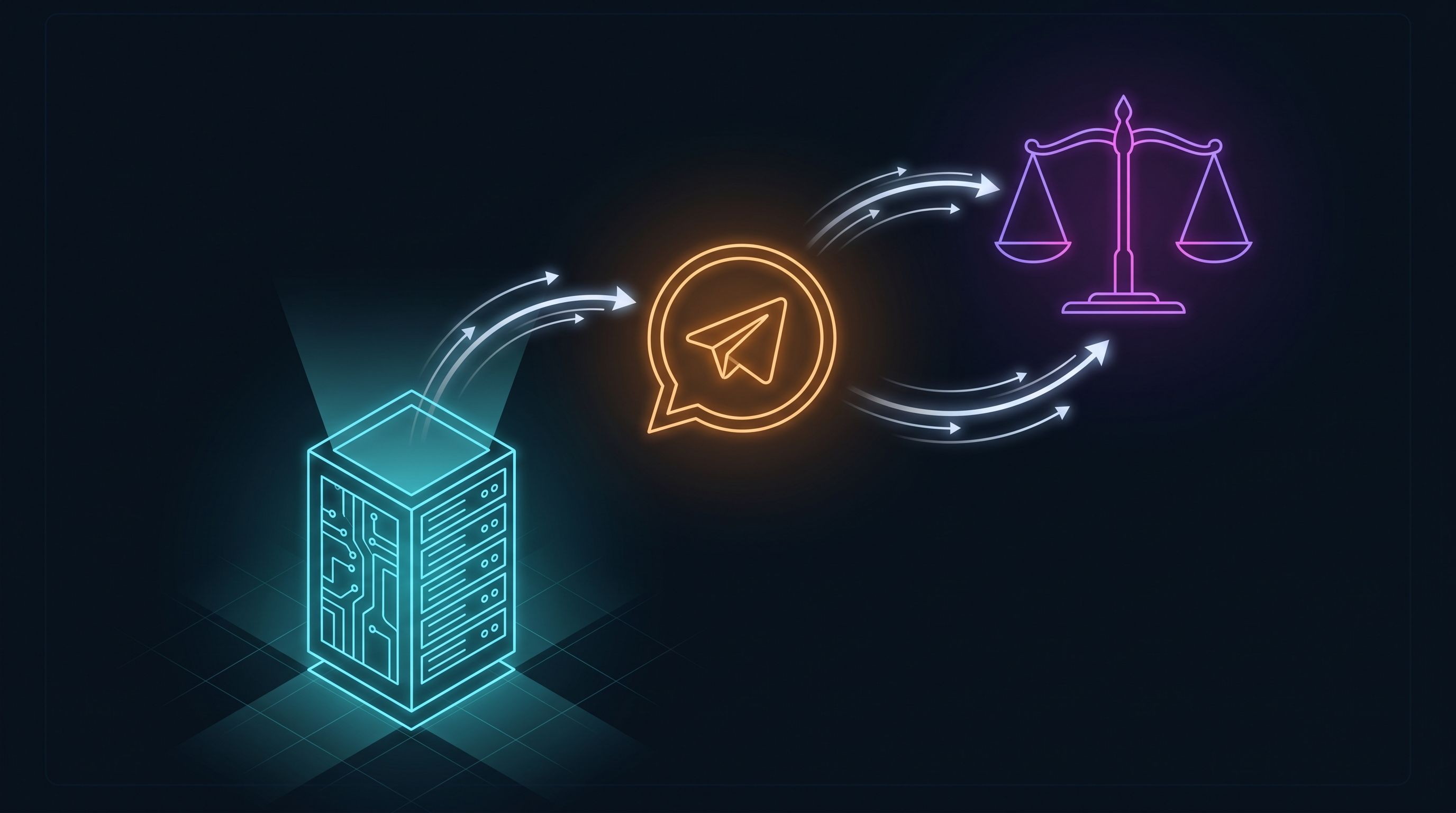
That changed this weekend. The result is Clerko, a self-hosted AI agent that knows his practice area, answers him on Telegram while he’s walking between hearings, and has 28 legal workflows codified into it. It took a weekend. It runs in my homelab.
The Gap Nobody Fixes
The pitch that “AI can help lawyers” is real. It’s also nearly useless in its generic form.
My son practices business law at Ayala Business Law in Miami. His problem wasn’t access to Claude or ChatGPT. He has that. His problem was the cognitive overhead of getting useful output from it: figuring out the right prompt, supplying the Florida-specific context each time, remembering which phrasing worked last time, starting over when he’s on mobile between appointments with no setup to fall back on.
The gap between “AI can help lawyers” and “AI that helps this lawyer, right now, from wherever he is” is where most professionals actually live. The prompts exist. The models exist. The missing piece is the infrastructure layer that makes it persistent, personal, and accessible without ceremony every time.
That’s what Clerko is.
What Hermes Agent Is
Hermes Agent is an open-source, self-improving AI agent framework from Nous Research. It has cleared 165,000 GitHub stars since launching in July 2025, placing it alongside openclaw (374K stars, launched four months later) as the leading open-source agent frameworks gaining traction with developers right now.
It’s not an app. It’s not a SaaS subscription. It’s infrastructure, the same way a mail server is infrastructure.
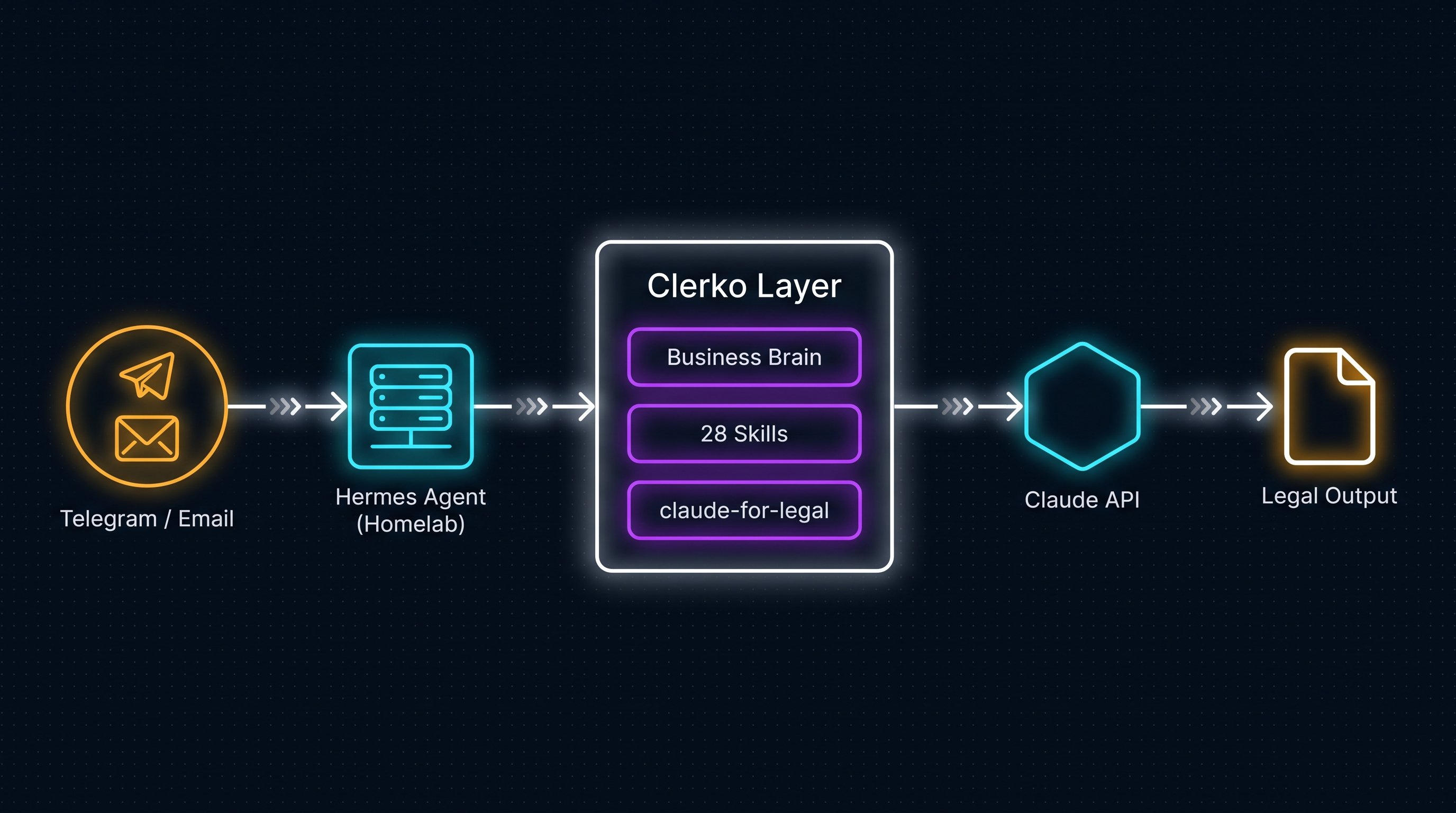
The messaging gateway. A single Hermes process handles Telegram, Discord, Slack, WhatsApp, Signal, and email simultaneously. One deployment; your agent is reachable everywhere. The skills system. Hermes has procedural memory: the agent autonomously creates, improves, and stores reusable skills after complex tasks, compatible with the agentskills.io open standard. You can also load skills explicitly at setup. This is how 28 legal workflows become first-class agent capabilities rather than prompts you type from memory.
Model agnosticism. Works with 300+ models via Nous Portal, OpenRouter, NovitaAI, NVIDIA NIM, Anthropic, and others. Switch with hermes model, zero code changes. Clerko runs against Claude (which matters for the legal skill layer below) but the framework is indifferent.
The full technical stack: Python 3.11, uv package manager, runs on a $5 VPS or a homelab rack, serverless hibernation via Modal or Daytona, 40+ built-in tools, MCP server integration, built-in cron scheduler for automations, and the ability to spawn isolated subagents for parallel workstreams. Full documentation at hermes-agent.nousresearch.com/docs.
How I Built Clerko
Four components make Clerko a domain expert rather than a generic chatbot.
The business brain. Hermes uses context files that load into every conversation automatically. Clerko’s context encodes his jurisdiction (Miami-Dade and Broward courts), his practice areas, Florida Bar constraints, court filing formatting requirements (12-point Times New Roman, double-spaced, numbered paragraphs, certificate of service), and standing quality standards: never fabricate citations, flag every uncertain point of law, always flag provisions requiring attorney judgment rather than AI output. This is the transformation layer: generic LLM becomes a Florida business law assistant. Every conversation starts already calibrated.
The identity. Clerko has a name, a defined role, and standing persona instructions. Not “the AI,” but a named assistant with consistent behavior across sessions. This is the equivalent of the Master Custom Instruction Builder concept from the prompt pack I used: your system prompt is the most powerful customization you can make, and it should encode jurisdiction, practice area, formatting requirements, and quality constraints so the attorney stops re-explaining context on every query. Clerko’s identity is that system prompt running at the infrastructure level, not typed into a chat box.
The interfaces. Telegram handles quick queries: drafts, summaries, fast research questions while he’s on the move. AgentMail.to gives Clerko an email address, so longer document workflows land in his inbox as reply threads. Both run from the same homelab instance. The data stays off cloud SaaS platforms, which matters for attorney-client privilege on client data.
The skill layers. Two distinct codified skill sets load into Clerko at startup.
The first is Anthropic’s official claude-for-legal, a reference implementation providing agents and skills for common legal workflows across in-house commercial, litigation, privacy, employment, regulatory, and IP practice areas. These are strict by design: every output is marked as a draft for attorney review, source attribution is required on every citation, jurisdiction assumptions are surfaced explicitly, and there are privilege gates before anything gets filed or sent. The lawyer retains professional responsibility. The framework is architected around that constraint, not around it being an afterthought.
The second is the 28 workflows from a Florida attorney prompt pack, which I’ll cover next. They’re practical and tactical. The claude-for-legal skills are validated and guardrailed. Different layers for different risk levels, running in the same agent.
The 28 Workflows Codified
The source is 28 battle-tested prompt templates for Florida attorneys, organized by practice area, with agent-mode workflows for the heavier document tasks. I took those prompts and codified them as Clerko skills.
Email and Communication: 5 workflows
- Thread summarization: structured output before calls or filings: executive summary, per-party positions, action items, open questions, recommended next action
- Demand letter draft: from facts to first-draft with tone, legal basis, deadline, and document preservation demand
- Client update email: post-hearing or post-filing in plain language, 150-250 words, no privileged analysis in the body
- Opposing counsel response: position framing with explicit tone control (professional and firm / cooperative / reserved and non-committal)
- Morning email triage: [Agent Mode] automated inbox priority by category: opposing counsel, client deadlines, scheduled court dates, everything else
Litigation and Court Filings: 6 workflows
- Motion drafting: full Florida Rules template: case caption, numbered paragraphs, legal basis, relief, certificate of service, signature block with Bar number placeholder
- Deposition outline: organized by topic, each with 5-10 ordered questions and admissibility flags
- Deposition transcript summary: key admissions with page and line number, harmful testimony, inconsistencies across prior statements, impeachment opportunities
- Motion in Limine: per-basis argument structure and proposed order for evidence exclusion
- Discovery requests: interrogatories, RFP, RFA compliant with Florida number limits (30 interrogatories without leave), plain language, no duplicates
- AI disclosure language: court filing disclosure per 11th Circuit Administrative Order 26-04 and 17th Circuit 2026-03-Gen (flag: verify current status before filing)
Transactional Practice: 4 workflows
- Contract review: clause-by-clause risk output: clause / party favored / risk level / recommended revision, key dates, 150-word client summary
- Due diligence extraction: dates, parties, financial terms, conditions precedent, reps and warranties, termination rights, notice provisions, and flagged anomalies
- Closing checklist: organized by category: title / entity / financing / tax / regulatory / post-closing, with responsible party and deadline columns
- Entity formation summary: three-way comparison for the client’s situation, Florida-specific formation requirements, estimated cost ranges, CPA flag
Family Law: 3 workflows
- MSA issue spotter: one-sided provisions, deviations from Florida norms, missing provisions, best-interest compliance, three-issue priority list before signing
- Parenting plan draft: Florida Ch. 61 compliant: regular schedule, holiday schedule, school year vs. summer, communication protocol, travel, decision-making authority
- Client intake summary: [Agent Mode] structured from dictated post-call notes: client background, marriage history, assets and liabilities, income, goals, immediate action items, conflict check names
Research and Analysis: 3 workflows
- Legal issue spotter: issues in order of importance, governing framework, elements to prove or disprove, likely defenses, three key facts to investigate, initial case strategy
- Opposing brief analysis: argument structure, three strongest and three weakest arguments, factual misstatements, counter-argument framework, arguments opposing counsel failed to make
- Case law research overview: how Florida courts analyze the issue, common fact patterns, recent trends, deliberately no specific citations to prevent hallucination; output is a research roadmap, not the research itself
Business Operations: 4 workflows
- SOP drafting: numbered steps, quality control checklist, explicit attorney judgment flags vs. staff execution
- Marketing bio: at three lengths (150 / 300 / 500 words) with tone control
- Meeting agenda and summary: Part A before the meeting, Part B after: decisions, action items with owners, open issues, next meeting date
- Automated daily briefing: [Agent Mode] reads inbox, checks calendar for court dates and deadlines in the next 30 days, pulls overdue tasks, generates prioritized morning to-do under 400 words
Advanced Agentic Workflows: 3 workflows
- Document review pipeline: [Agent Mode] per-document summary, keyword and party flagging, privilege log template, master index across all documents
- Deadline monitoring and calendar sync: [Agent Mode] extracts every deadline from a scheduling order, calculates 30 / 14 / 7 / 3 day lead-ups, adds all to calendar with confirmation
- New client file setup: [Agent Mode] creates folder structure, Notion matter note, conflict check email, welcome email, then reports when complete
What the Layer Actually Changes
The difference between 28 good prompts in a document and 28 codified skills in a persistent agent is deceptively large.
When prompts live in a document, every use is manual: find the prompt, fill in the brackets, supply the jurisdiction context the prompt assumes you’ll provide, hope you grabbed the right version. When they’re Clerko skills, invocation is a message: “draft a demand letter, facts are X, damages are Y, deadline is Z.” The context (Florida jurisdiction, practice area, formatting requirements, citation standards) is already loaded. Clerko doesn’t need it explained again.
Memory compounds the difference. Hermes retains cross-session context. Thinking about this in terms of agentic engineering maturity, you want the agent handling everything between your start prompt and your review, with the advantage of remembering what came before. That’s the delta: consistency, memory, access.
The third variable is access. The highest-quality legal AI workflow doesn’t help if it requires sitting at a desktop interface he only opens between appointments. Telegram means Clerko is always one message away: at the courthouse, between depositions, at 6am before a morning hearing. The interface determines whether the tool gets used.
What’s Still Rough
Citation hallucination is real and won’t be fixed by infrastructure alone. Every workflow in the pack explicitly says: verify every citation in Westlaw, Lexis, or Google Scholar before it leaves your office. No exceptions. Clerko surfaces this reminder in its outputs. The model will still occasionally sound confident about a case that doesn’t exist. The workflow addresses it; the lawyer still has to verify. That’s not a Clerko problem; it’s a model problem. Build the human verification step into the process, not the exception.
The [Agent Mode] workflows (document review pipeline, calendar sync, new client file setup) require MCP connections to Google Drive, Calendar, and email. Clerko has the instructions codified, but the tool integrations aren’t wired yet. That’s the next weekend’s project.
This is v1. The business brain will deepen as Clerko learns from actual usage patterns. The skills will improve. The architecture is right; the knowledge layer is still being built.
The Pattern Generalizes
The architecture isn’t specific to law. Business brain + named identity + accessible interfaces + codified domain skills. A tax accountant faces the same problem: generic AI exists, but an agent that knows her clients, her software stack, her jurisdiction’s specific forms, and answers her from wherever she’s working: that doesn’t exist yet unless someone builds it.
Build it. A weekend is enough time. The infrastructure is open-source. The skill layer is whichever domain you know well enough to codify. The professionals who build their own layer in the next two years will have something that compounds, not a subscription to someone else’s agent, but infrastructure they own and control.
That’s a different bet than waiting for a vendor to build it for them.
If you’re building something similar or thinking about this for your own domain, find me on X @orestesgarcia or LinkedIn.
On the infrastructure side of this (how agentic systems scale, where the stack is still scaffolding, and what the math says about build-vs-buy) Agent as a Service Is Real. The Vendor Pitch Isn’t. covers the full picture.
I write about AI-assisted development, enterprise architecture, and the infrastructure layer between them. Follow along on X @orestesgarcia or connect on LinkedIn /in/setsero.
Get the next field note.
Regulated AI, architecture and platform economics — in your inbox as they publish.