Claude Code vs Copilot CLI: Making the Enterprise Case
Here’s the question every engineering manager in a regulated enterprise eventually asks:
“GitHub is already approved, Copilot is already licensed, and the benchmarks show statistical parity. Why would I invest budget, procurement cycles, and political capital in adding Claude Code?”
It’s a fair question. The path of least resistance is real. But the benchmark parity that makes this question seem obvious also obscures the actual decision factors.
The Benchmark Trap
As of early 2026, Claude’s Opus 4.5 scores 80.9% on SWE-bench Verified. GPT-5.2-Codex, which powers Copilot CLI, scores 80.0%. The 0.9% difference is noise.
If you’re evaluating these tools on “which AI is smarter,” you’ve already lost the plot. They’re equivalent. The differentiation isn’t raw capability—it’s workflow fit, extensibility, and context efficiency.
This is where the enterprise decision actually lives.
The Three Arguments for Claude Code in Enterprise
1. Workflow Compounding Creates Institutional ROI
Copilot CLI is a capable tool. Claude Code is a platform for building capable workflows.
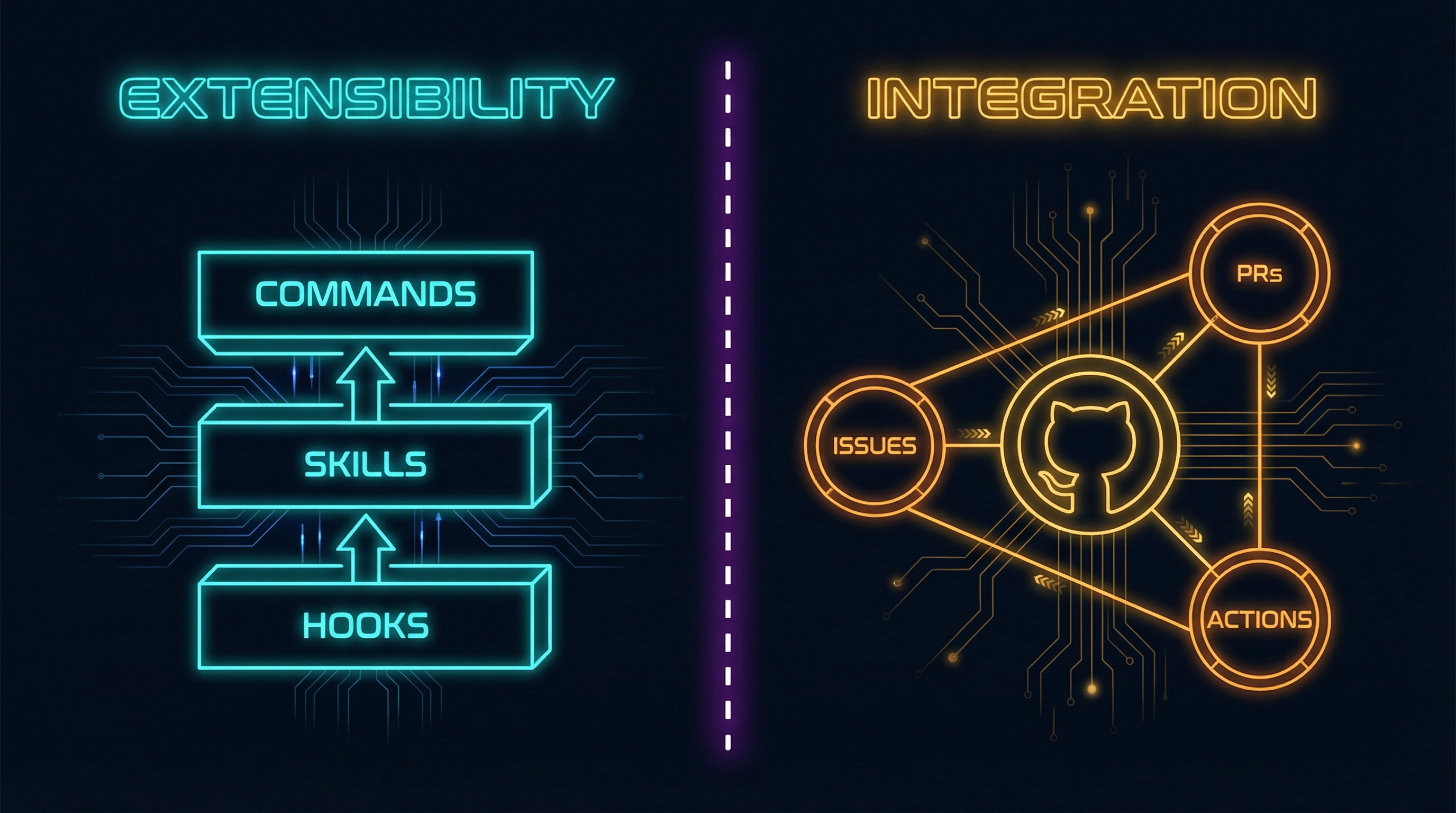
The difference matters at scale. Claude Code offers three extensibility layers that Copilot CLI doesn’t match:
Commands are Markdown files that create reusable /slash-commands. A /deploy-review command that encodes your infrastructure checklist. A /security-audit that runs your compliance checks. Teams share these in .claude/commands/, and new engineers inherit institutional knowledge as executable automation.
Skills are directories that load domain expertise on demand—React patterns, database migrations, API design standards. They use progressive disclosure: ~100 tokens to scan, <5K to load. You can have effectively unbounded context through modular composition.
Hooks provide lifecycle automation: block .env file edits, auto-format on save, run tests on completion. Exit code 2 blocks any operation—deterministic security controls for regulated environments.
Each developer using Copilot CLI gets the same experience. Each team using Claude Code can build differentiated capability. Over a year, a team investing in Commands and Skills accumulates workflow capital that generic tools can’t match.
Copilot CLI has custom agents, but the depth isn’t comparable. Claude’s system is infrastructure for building workflows; Copilot’s is a feature.
2. Architecture Enables Enterprise-Grade Work
Three architectural differences that determine what work each tool can actually do:
Subagent isolation solves context pollution. Claude Code’s Task tool spawns subagents with fresh 200K context windows—up to 10 concurrent operations, each isolated from the others. Git worktrees enable full branch isolation for parallel development. Context pollution is solved architecturally, not by hoping the model remembers. Copilot’s agent model is flatter; when you’re juggling multiple parallel concerns, context bleeds between them.
Task completion rates tell the enterprise story. Claude Code reports ~75% success rate on complex cross-file refactoring in 50K+ LOC codebases. The work it handles well—large refactors, cross-system migrations, monolith decomposition—requires maintaining coherent understanding across many files over extended sessions. Enterprise cares about outcomes: can the tool actually complete the migration, or does it lose the thread halfway through?
Deterministic controls satisfy regulated environments. Hooks with exit code 2 block any operation—deterministically, not probabilistically. PreToolUse hooks prevent touching .env files, production configs, or credential directories. Security controls are programmable and verifiable. Copilot relies on model behavior; Claude Code provides infrastructure-level enforcement. For compliance-heavy organizations, “the AI is careful” isn’t sufficient—you need controls that auditors can verify.
Beyond architecture, two efficiency patterns extend useful capability:
Token efficiency through CLI-over-MCP. The emerging best practice among power users is using command-line tools (GitHub CLI, AWS CLI, kubectl) instead of MCP servers for stateless operations. Benchmarks show CLI tools are 43x more token efficient than equivalent MCP servers (1,200 vs 52,000 tokens).
Tool Search reduces context explosion. Claude Code v2.17+ introduced MCP Tool Search:
{
  "enable_tool_search": true
}
With Tool Search enabled, tools load only when semantically matched to user intent. Context pollution drops from 36K tokens to near zero. Vercel reported 3.5x speed improvements from reducing tool exposure by 80%.
3. Day-One Frontier Access Without Third-Party Delays
When Anthropic releases a new Claude model, it’s available in Claude Code immediately. When that same model appears in Copilot, it’s 3-4 weeks later—subject to integration timelines, A/B testing, and infrastructure rollouts.
Worse: some Claude models may never appear in Copilot CLI at all, remaining exclusive to Anthropic’s own interfaces. In Copilot, Claude Opus 4.5 consumes 3x your premium request allocation. A Pro user with 300 requests effectively gets 100 Opus requests per month.
For teams where access to frontier capabilities matters—AI-heavy product development, research organizations, competitive markets—those weeks matter. And the request multipliers can drain allocations quickly.
When Claude Code Actually Wins
Complex multi-file refactoring: Subagent isolation matters when you’re restructuring authentication across a codebase. Each parallel concern gets its own 200K context window—no bleed between the auth changes and the API layer updates. For monolith-to-microservices migrations or large-scale type system upgrades, architectural isolation is essential.
Token-conscious development: If you’re connecting multiple tools, the CLI-over-MCP approach with Tool Search dramatically extends useful context. Developers report completing complex tasks that would fail with context-heavy MCP configurations.
CI/CD and automation: The Unix-philosophy design and hooks system enable sophisticated automation. Pre-commit validation, automated testing on completion, deployment workflows—all programmable. Teams have built hooks that automatically run security scans, enforce style guides, and prevent commits to protected branches.
Custom tooling investment: Teams willing to build their own Commands and Skills ecosystem see returns that grow over time. One Google engineer reported that Claude Code “generated what we built last year in an hour”—the productivity gains from well-configured workflows are substantial.
The Counter-Arguments (Fair Balance)
If GitHub integration is paramount, stick with Copilot. The integration with Issues, PRs, Actions, and code search is genuinely seamless. Copilot CLI ships with a built-in GitHub MCP server that cannot be disabled—if your workflow runs through GitHub and fighting that would create friction, the integration advantage is real.
If your team won’t invest in customization, Claude’s power features are wasted. Commands, Skills, and Hooks require investment to build. A team that won’t create custom workflows won’t see the compounding returns—they’re paying for capabilities they won’t use.
If you need multi-model flexibility, Copilot provides it. Access to Claude Opus 4.5, GPT-5.2-Codex, and Gemini through one interface without tool switching. Choose the optimal model for each task.
If you need massive context windows, GPT-5.2’s 400K tokens handles files that would exhaust Claude’s 200K limit—relevant for machine-generated code, large configs, or monolithic legacy files.
The Hybrid Pitch
Here’s the case many enterprises are landing on: both tools at $30-50/month combined per developer is cheap insurance.
- Claude Code Pro: $20/month
- Copilot Pro: $10/month
- Combined: $30/month
Copilot handles the GitHub-native quick tasks—PR creation, issue triage, code review. Claude Code handles the complex, context-heavy work where its architectural advantages shine—large refactors, multi-system migrations, workflow automation.
Developers choose the right tool for each task rather than forcing one tool to do everything.
At $50/month—less than the cost of one developer hour—having both options available isn’t a redundancy problem. It’s capability insurance.
The Decision Framework
Choose Claude Code if:
- You’ll invest in building Commands, Skills, and Hooks
- Subagent isolation and deterministic controls matter for your workloads
- You want day-one access to Claude’s latest models
- Your enterprise needs complex refactoring, multi-system automation, and context-heavy work
Choose Copilot CLI if:
- You’re deeply invested in the GitHub ecosystem
- You want multi-model flexibility through one interface
- Per-request pricing transparency matters for budgeting
- 90% Fortune 100 adoption provides institutional comfort
Choose both if:
- Different tasks have different requirements
- The combined cost is trivial relative to developer salaries
- You want capability insurance
Conclusion
The benchmark parity between these tools (80.9% vs 80.0% on SWE-bench) makes “which is smarter?” the wrong question. Both are capable enough.
The real differentiation is architectural:
Claude Code is infrastructure for building workflows. Commands, Skills, and Hooks create compounding returns for teams willing to invest. Subagent isolation, deterministic security controls, and CLI-over-MCP efficiency handle complex enterprise work that flatter architectures struggle with.
Copilot CLI is seamless ecosystem integration. If your workflow runs through GitHub and you want powerful AI assistance without disruption, it delivers.
For enterprises where “GitHub is already approved” is the default position: the question isn’t whether Copilot works. It does. The question is whether the work you need to do exceeds what it can handle—and whether the investment in Claude Code’s extensibility would compound into institutional advantage.
For many teams, the answer is both. At $30-50/month per developer, the downside of experimentation is negligible. The upside is having the right tool for each task.
For more on AI-assisted development in regulated environments, see The Compliance Tax and The Clone Problem.